
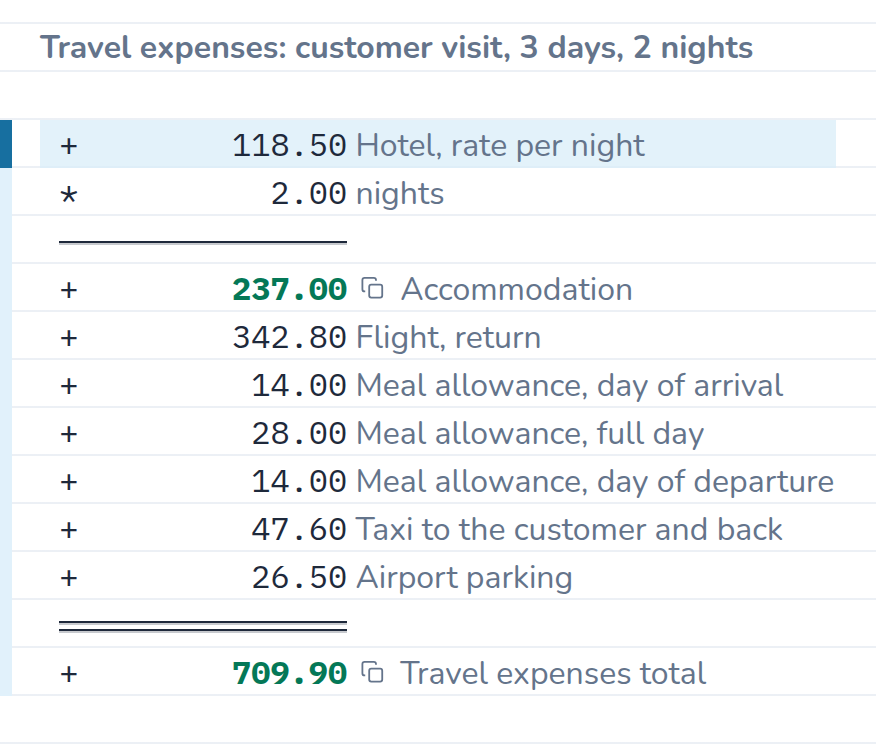
A travel expense claim is a list of receipts with explanations: two nights in a hotel, the flight, the meal allowances for the days of the trip, the taxi to the customer. On a desktop calculator only the total survives. On the tape every receipt stays put – and when accounting asks where the 47.60 € come from, the answer is written beside it.
The example calculation
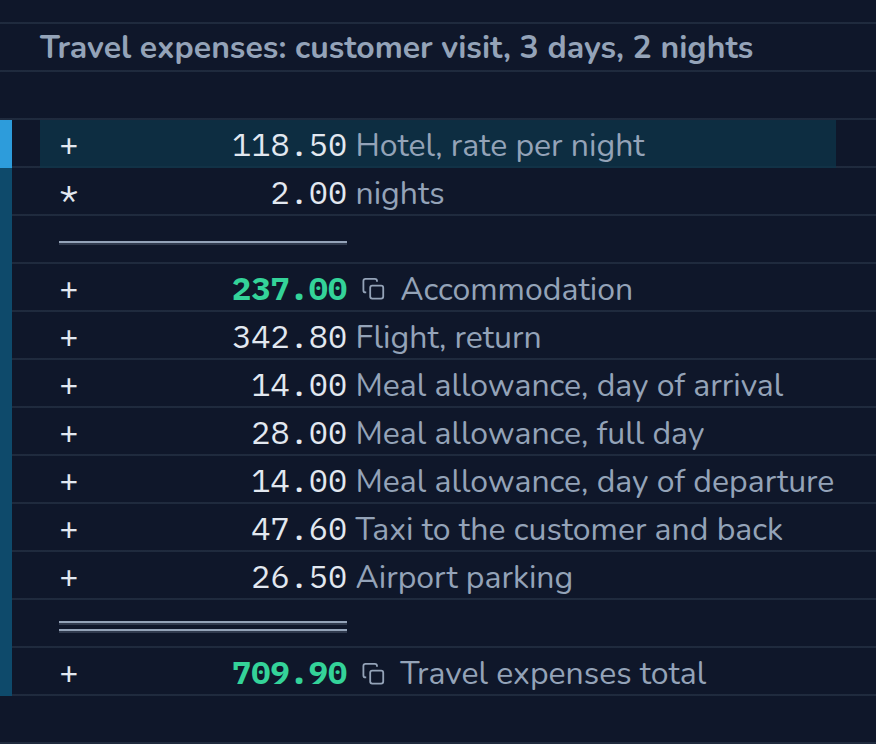
Three days at a customer’s site, two nights in a hotel: accommodation, flight, meal allowances for the day of arrival, the full day and the day of departure, plus taxi and parking. The allowances carry the German rates: 14 € for the days of arrival and departure, 28 € for a full day – enter the ones that apply to you. Change the hotel rate or the number of nights – the total follows.
The calculation as text
| Entry | Result | Comment |
|---|---|---|
| 118.50 | Hotel, rate per night | |
| × 2.00 | nights | |
| = | 237.00 | Accommodation |
| + 342.80 | Flight, return | |
| + 14.00 | Meal allowance, day of arrival | |
| + 28.00 | Meal allowance, full day | |
| + 14.00 | Meal allowance, day of departure | |
| + 47.60 | Taxi to the customer and back | |
| + 26.50 | Airport parking | |
| = | 709.90 | Travel expenses total |
What the calculation shows
- Multiplying on the tape.
* 2 nightstakes the total above times two – the line reads like the receipt: rate per night, number of nights, accommodation total. - Allowances stay explained. Three meal allowances, two different amounts: the comment says which day is meant. If the allowance changes, you change the amount, not the calculation.
- Add receipts without retyping. The parking ticket only turns up when you empty your jacket? Insert a line, the total recalculates.
- Easy to follow for others. Printed or as a PDF, the tape is the statement for accounting at the same time – comments in green, amounts in columns.
How to do it in CalcTape
- Type receipt by receipt: operator, amount, comment.
*and/work on the total above – for “rate times quantity”, put the rate in the first line and the quantity below it.- The
=key (or Enter) closes a subtotal, for example the accommodation total; four dashes in a line do the same. - If a receipt is missing, insert the line in the right place; order and comments stay intact.
Reusing it as a template
Save the claim for the first trip as a file and use it for all the others: swap the amounts, add lines, done. With Pro, several trips sit side by side; on the Windows desktop Pro also hands the statement to accounting as an Excel file. On the go you write the receipts into the Android app or the app for iPhone and iPad and take the file with you; at the desk, CalcTape in the browser is enough.