

VAT is a percentage of the net amount; the rates differ from country to country (in Germany 19 %, 7 % reduced). The example uses a neutral 12 % – enter your own rate. On an ordinary calculator only the result survives; on the tape, net amount, tax and gross amount stand one below the other, and every value can be changed afterwards.
From net to gross
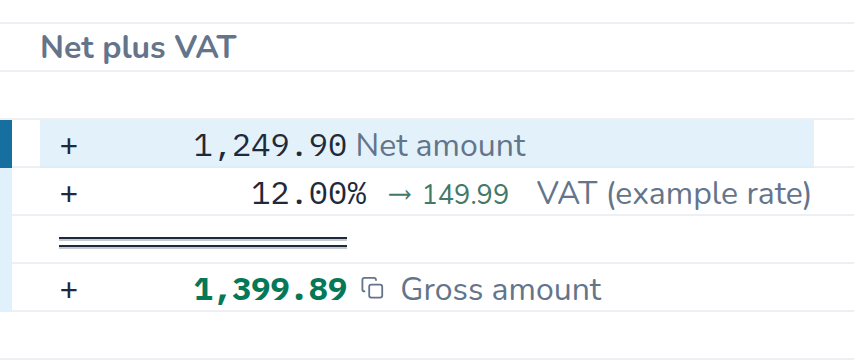
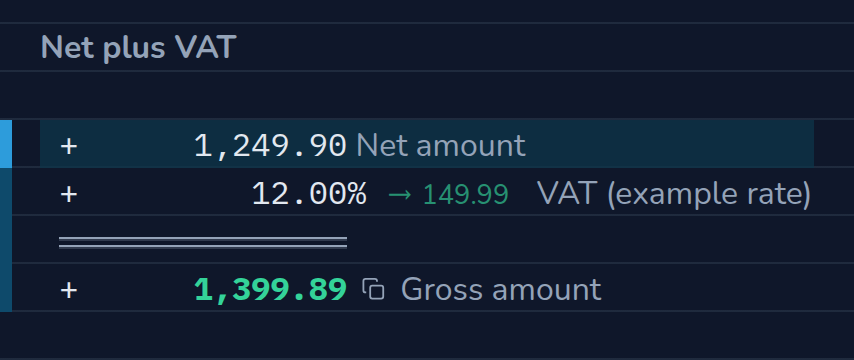
A quote states 1,249.90 € net. The tax rate goes on top – CalcTape writes the tax amount beside the rate. Change the net amount, or put your own rate in place of the 12 %.
The calculation as text
| Entry | Result | Comment |
|---|---|---|
| 1,249.90 | Net amount | |
| + 12 % | 149.99 | VAT (example rate) |
| = | 1,399.89 | Gross amount |
From gross back to net
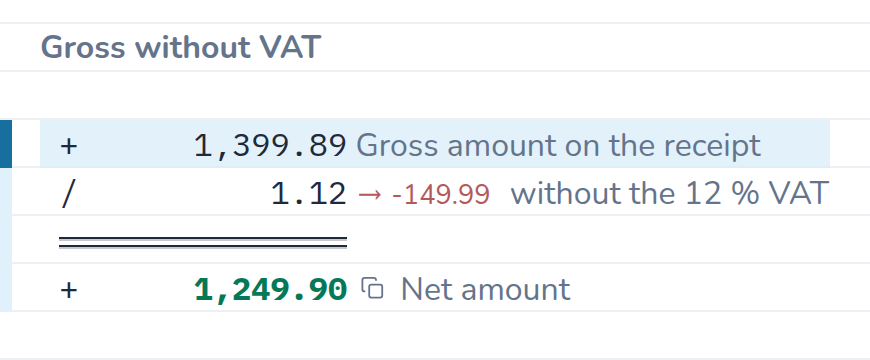
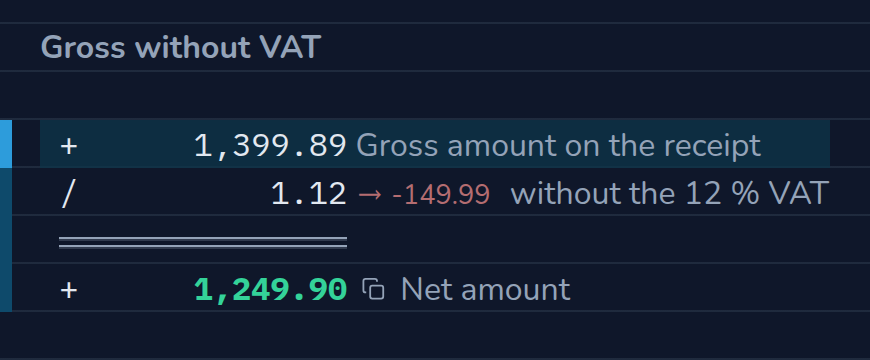
A receipt shows only the final amount. You get the net amount by dividing by 1 plus the rate, 1.12 for 12 % (1.19 for 19 %); the VAT included is the difference between the two lines – here 149.99 €. The tape writes it with its sign, as −149.99: that is how much the line lowers the total.
The calculation as text
| Entry | Result | Comment |
|---|---|---|
| 1,399.89 | Gross amount on the receipt | |
| ÷ 1.12 | −149.99 | without the 12 % VAT |
| = | 1,249.90 | Net amount |
What the calculation shows
- The tax amount sits beside the rate. On the tape, “12 %” becomes “12 % → 149.99” – the amount you find on the invoice.
- Net, tax and gross stay together. Change the net amount and tax and gross recalculate at once; the lines above remain readable.
- Another rate is a correction. Replace 12 with your rate, done – no second calculation, nothing to clear.
- Rounded to the cent. The tax amount is rounded commercially before it is added – just like on the invoice.
How to do it in CalcTape
- First line: amount and comment, for example
1249.90 Net amount. - The tax as a percentage line with its operator:
+ 12% VAT. The rate refers to the sum above it – that is how percentages work on the tape. - The
=key (or Enter) keeps the gross amount. - Faster with the tax keys: CalcTape knows the rates of your country, one tap inserts the percentage line. For the way back there is the minus key: it divides by 1.12 and writes the tax included beside it. Your own rates go in under customizing user keys.
Reuse as a template
If you convert net and gross regularly, save the calculation as a file or leave it on the worksheet: next time you only change the amount.