Putting together travel expenses
Hotel, flight, allowances, taxi – every receipt of a business trip on one tape, each with its comment, and the total adds up.
The web app is loading the calculation …Open this calculation in CalcTape Web
 CalcTape
Numbers, steps and comments stay together. Change any entry afterwards, and CalcTape recalculates every result below. For Windows, Mac, iPhone, iPad, Android and in the browser.
On the right is the real web app, reduced to the tape: tap a number and change it, write a comment after it, insert a line – everything below recalculates.
Keypad, menu, files and your own worksheet come with the full web app, free and without sign-up. The frame loads the app once it scrolls into view (about 0.7 MB); nothing is saved here.
A classic desktop calculator only shows the final result – how you got there stays invisible, and one wrong tap means starting over. CalcTape makes the whole calculation visible, labelled and editable at any time. It replaces your old desktop calculator.
Enter your items as a list – step by step, with plus, minus, times, divide, exponents and percentages.
Label every item. That keeps it clear what the numbers mean – today and a year from now.
Change a value in the middle of the calculation. CalcTape recalculates everything instantly – no starting over. Save the calculation and it becomes the template for next time.
Travel expenses, a quote, VAT, percentages: four typical tasks, each with a real example calculation. Open it right in the tile – in the web app, with your own figures.
Hotel, flight, allowances, taxi – every receipt of a business trip on one tape, each with its comment, and the total adds up.
Set the hourly rate and the hours once, add the materials, put tax and cash discount on top – change one value and the whole quote recalculates.
Net plus VAT, or from gross back to net – the tax amount stands visibly beside the rate.
Discount before cash discount, first 20 % up and then 20 % off – and why two percentages in a row must not simply be added up.
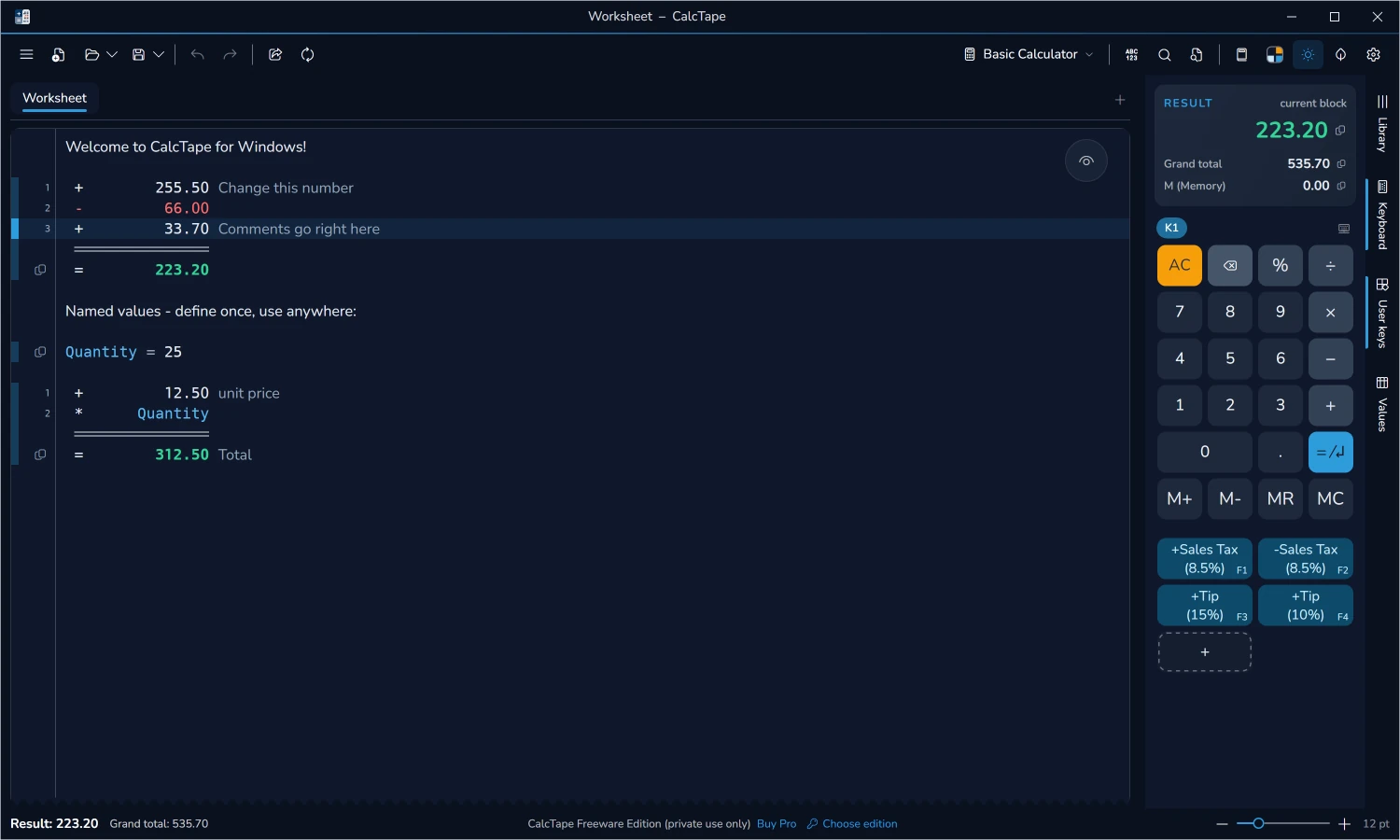
The tape on the desktop: the items with comments and subtotals on the left, result and keypad on the right.
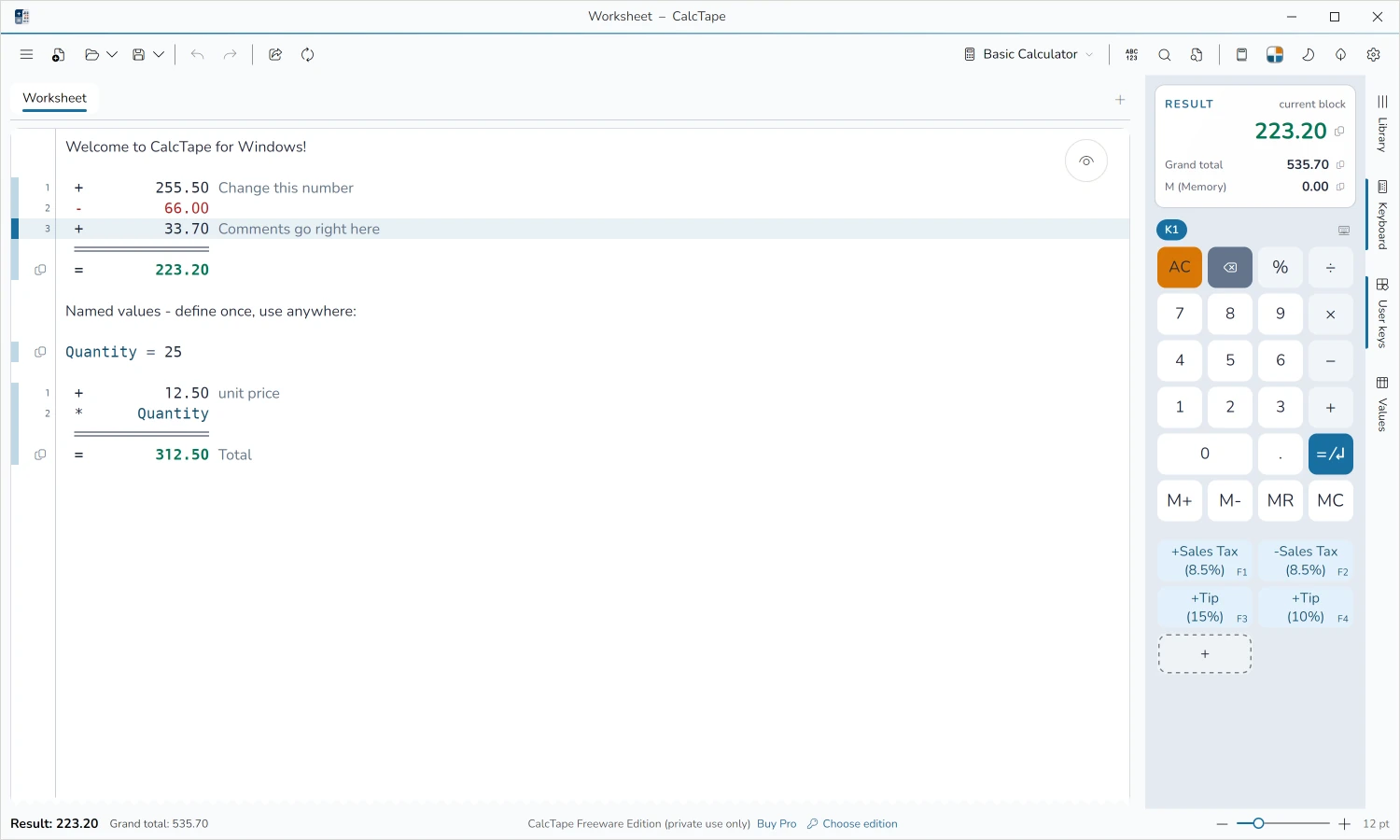
Every item visible, every value editable, every result right to the cent. Here is what that means in detail:
Change a value in the middle of the calculation, an operator or a whole line: everything below recalculates at once. A line that does not add up yet gets a red marker and waits, without stopping the rest. Undo takes back every step.
CalcTape computes in exact decimals, with no floating point: 0.1 + 0.2 is exactly 0.3, and even a tape with a thousand items does not drift. Rounding is commercial, at your decimal places, and percentage amounts are rounded before they enter the total – just like on a printed invoice.
“+ 19 %” adds to the running total, “- 19 %” takes it off, “* 19 %” gives you that share of it, and CalcTape writes the amount beside it. The tax keys know the rates of your country, and the minus key takes included tax out of a gross amount correctly: it divides by 1.19.
Structure the calculation with subtotals in exactly the right places and carry on below a result. If one sheet holds several calculations, CalcTape adds them up to a grand total without counting a subtotal you continued twice.
Write what an item stands for behind it, and whole lines of text in between. The math ignores them, including any digits inside. Whoever opens the calculation later still sees at a glance what it was about.
Give values a name: “vat = 19”, “hours = 7.5”. Below the definition you calculate with them, as a percentage too (“+ vat%”). Inside a definition, parentheses and functions are allowed, from square root and rounding to logarithm and trigonometry.
On the desktop you choose your input style: fixed decimals like on a cash register, where the digits flow in from the right. On Windows the adding machine comes on top, where the operator finishes the line. Plus the memory keys M+, M-, MR, whose memory is shared by all your sheets.
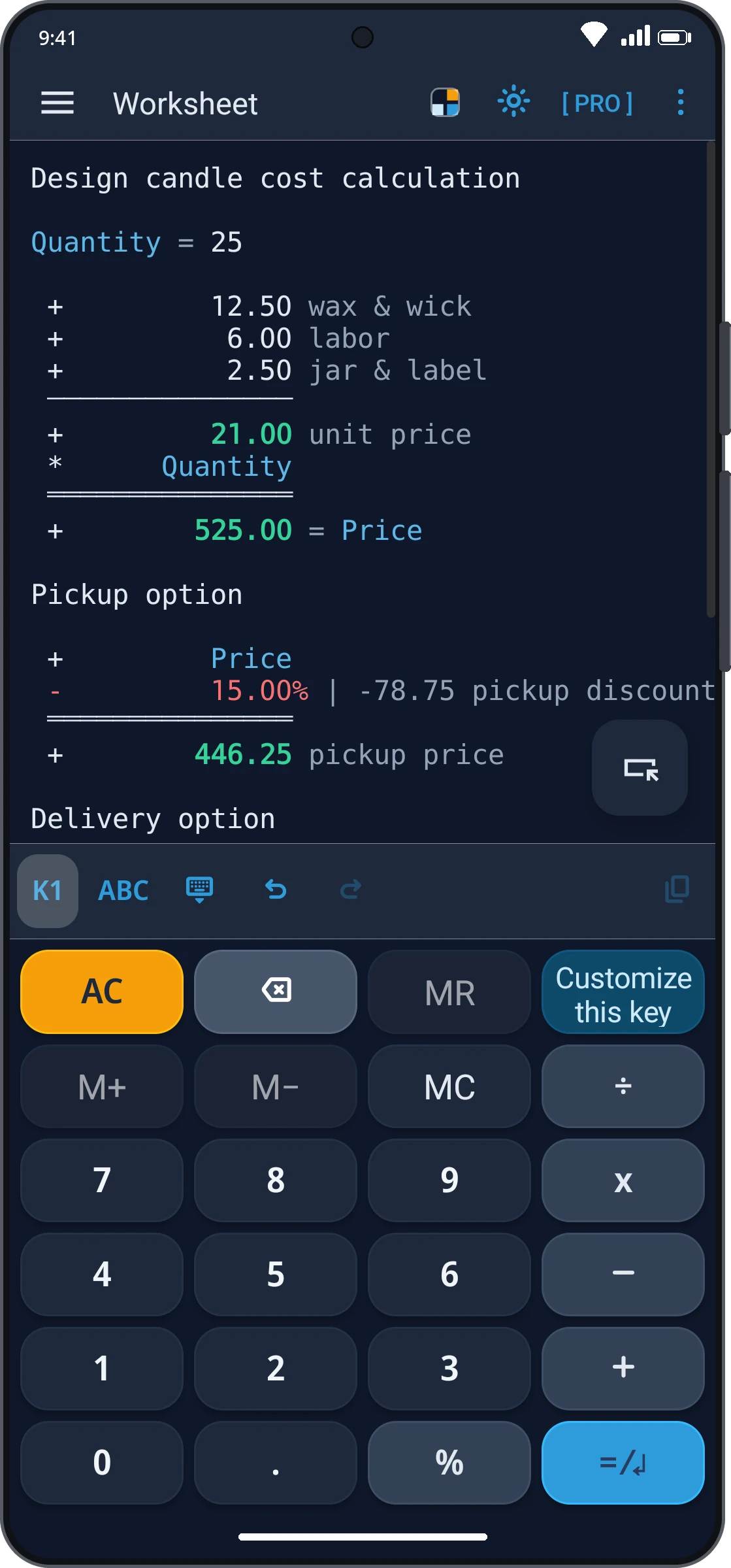
A key types for you what you would type otherwise: “+ 19 %”, “* 1.0725”, “- 2 %” for early payment, a recurring comment as well. The preset tax keys can be edited in every edition; your own keys and whole keypads come with Pro.
A sheet that is always open and saves itself. Whatever you work out in between is still there the next time you start.
Save a calculation as a file and reopen it later, always freshly computed. That makes every calculation a template as well: change a few values and the next variant is done. How many files may sit side by side is in the edition overview.
Print with preview, save as PDF or HTML, copy into your own document with formatting: columns, green comments, red negative amounts. Excel export comes with Pro on the Windows desktop.
A CalcTape file is plain text. It opens on every device, is recomputed there by the same engine and brings its number format along: a tape written in German formatting stays correct on an English-formatted machine. CalcTape reads the files of its predecessors CalcPad and CalcAnt as well.
Also on board: themes with a light and a dark mode, digit grouping in English, German or Indian style, the sum of any selection on request, and the hint behind a “|” that shows what a single line contributes to the result. The calculating happens on your device, with no account and no cloud.
Which of these your platform brings, and which of them the free edition includes, is shown under Editions and on the platform pages.
The full calculating comfort is in every edition – free on Windows, Android and in the browser. What Pro and Business add on top, and what they cost on your device, is here.
Freeware
For private use
Pro
Private & commercial
from 4.95 €
Business
Company & administration
Every feature in detail: edition comparison for Windows
All platforms compared – one-off prices, no subscription:
| Platform | Freeware | Pro | Business |
|---|---|---|---|
| Windowsin progress | free | 7.95 €* | on request |
| Mac | – not available | 6.99 €* | – not available |
| iPhone & iPad | – not available | 4.95 €* | – not available |
| Android | free | 4.79 €* | – not available |
| Web | free | – not available | – not available |
Pro pricing varies by platform (partly due to app-store fees). Business is based on Windows. The new Windows version is still in the works – the prices shown apply once it is released.
*Prices may vary by country due to local taxes, service fees or currency conversion.
Whether on your PC, your Mac, on the go on your phone or right in the browser – your tape is always there.
Pick your device – this is what the offer looks like there:
Every calculation. In context.
New Windows version in the works – version 6 is available
The new Windows version is in the works; prices apply once it is released. Try it early: register as a beta tester.
*Prices may vary by country due to local taxes, service fees or currency conversion.
The adding machine for your Mac.
On the Mac, CalcTape is a paid app only.
*Prices may vary by country due to local taxes, service fees or currency conversion.
Every calculation. In context.
On iPhone and iPad, CalcTape is a paid app only.
*Prices may vary by country due to local taxes, service fees or currency conversion.
Simple calculating on your Android device.
Try Pro first: the app can start a one-time trial with the full Pro feature set – 10 days, no purchase and no subscription.
*Prices may vary by country due to local taxes, service fees or currency conversion.
CalcTape right in your browser – no installation.
Designed for desktop browsers; on the go, the apps are the better choice.
CalcTape is the in-house product of schoettler Software GmbH. With over 30 years of experience in custom software, interfaces and apps, we know what makes software maintainable and user-friendly in the long run – and that’s exactly what goes into CalcTape.
More about schoettler SoftwareThe entire calculation stays visible – like on a paper tape. You change any item afterwards, add comments and create interim results. The total recalculates automatically after every change.
On Windows, on Android and in the browser, yes. On Windows and Android the Freeware is for private use; the Pro version adds more features and commercial use. On Mac, iPhone and iPad CalcTape is a paid app with the full feature set. What each version costs is shown in the Platforms section.
On Android, yes: the app can start a one-time trial with the full Pro feature set – 10 days, no purchase and no subscription. It ends by itself; documents you created stay readable and are read-only until you upgrade, while the worksheet stays editable.
Yes, the previous version 6.0.8.1 is available for download; for several machines there are ready-made installer packages (MSI). New Pro licences for version 6 are not on sale at the moment. Alongside it, CalcTape for Windows is being rebuilt from the ground up. If you would like to test the new one early, register as a beta tester – we will get in touch as soon as the beta starts. Everything else is on the CalcTape for Windows page.
Yes, with the right edition; the rules differ by platform.
All questions and answers are in the FAQ.
Right in the browser, no installation and no sign-up – or as an app for your device. You won’t miss your old desktop calculator.